
Description
Plugin that uses the WordPress AI Client to automatically generate alt text for images, either during the upload process or on-demand with a button. It enhances website accessibility and SEO by providing descriptive and relevant image descriptions. Supports multiple AI providers including OpenAI, Google Gemini, Anthropic Claude, and others — whichever you have configured under Settings Connectors.
Features:
– Bulk alt text generation for multiple images at once in media library and gallery block
– Manual generation via a button in the image block and media library
– Configurable automatic alt text generation during the upload process
– Support for multiple AI providers and vision models
External Service Usage
This plugin relies on the WordPress AI Client to generate alt text for images. Depending on which AI provider you have configured, your images will be sent to that provider’s API. Please review the terms of use and privacy policy of your chosen provider before using this plugin.
For Developers
You can read about the available hooks here: https://github.com/android-com-pl/wp-ai-alt-generator/blob/main/README.md#for-developers
Screenshots
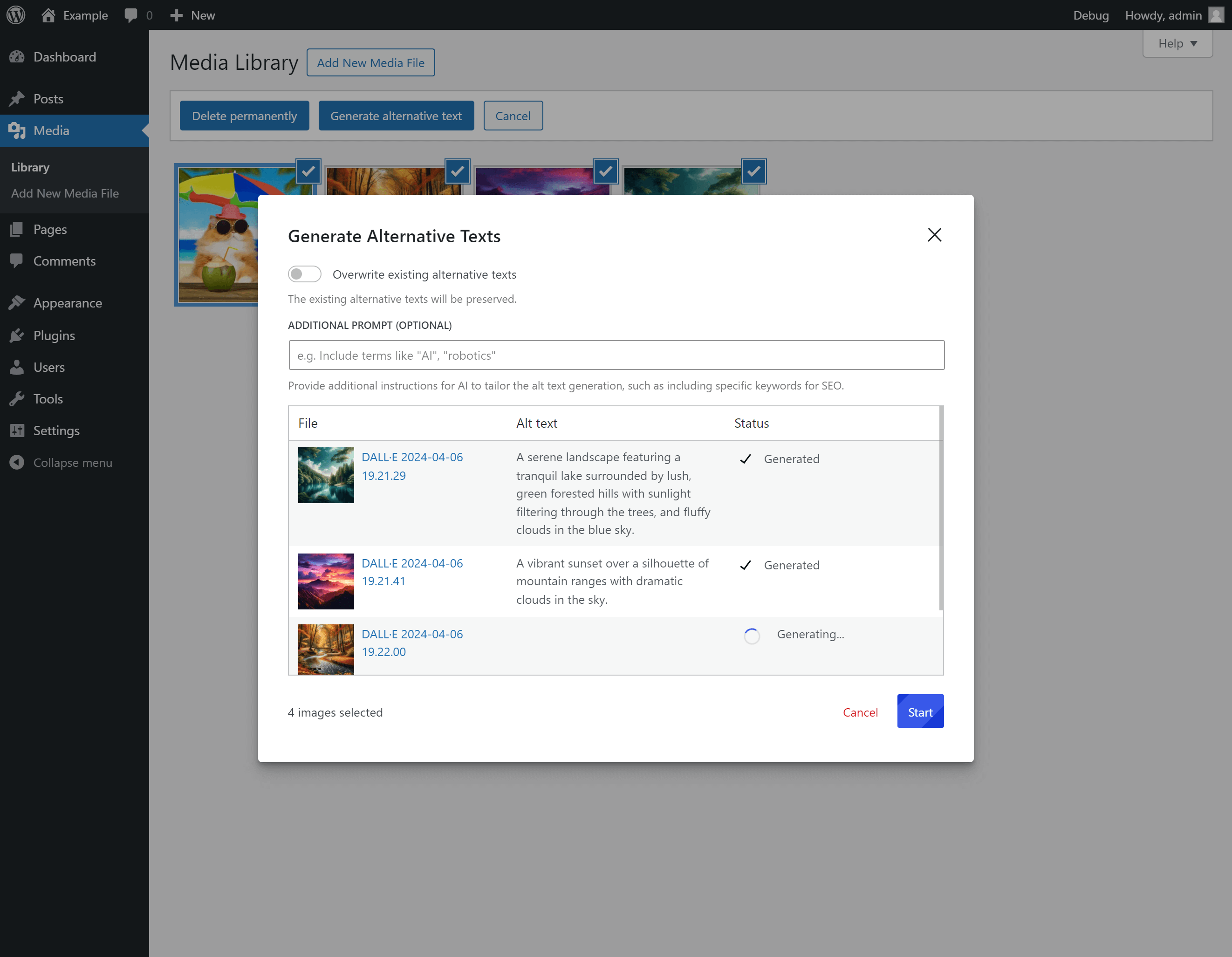
Bulk alt text generation. 
Generating alt text for an image in the media library. 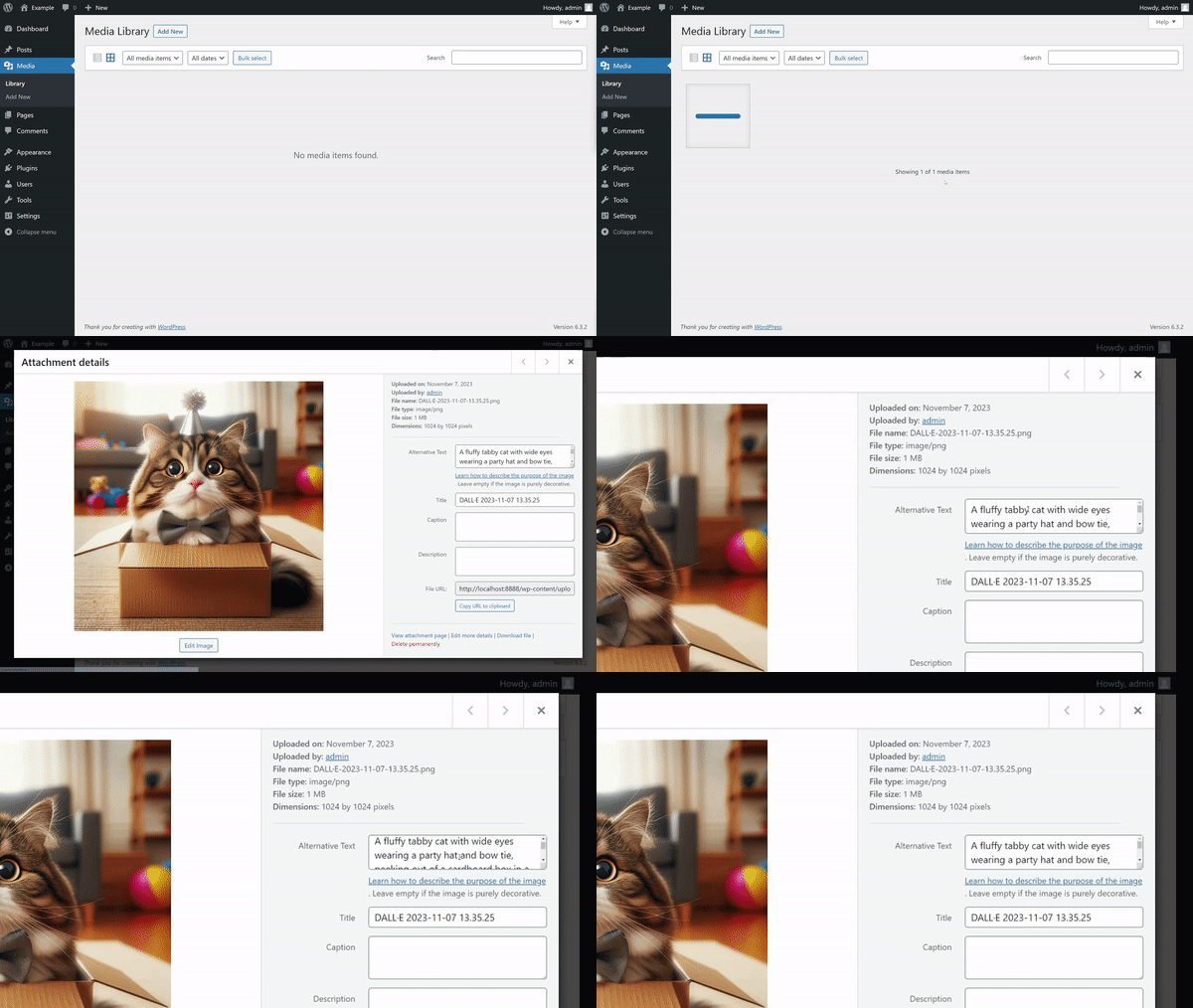
Generating alt text automatically on upload.
Installation
- Upload the plugin directory to your
/wp-content/plugins/directory. - Activate the plugin through the ‘Plugins’ menu in WordPress.
- Configure at least one AI provider under
Settings -> Connectors. - Go to
Settings -> Mediato configure the plugin settings.
FAQ
-
Is there a cost associated with using this plugin?
-
It depends on the AI provider you have configured. Most providers charge per API request. Please check your provider’s pricing page for details.
Reviews


Contributors & Developers
“AI Image Alt Text Generator” is open source software. The following people have contributed to this plugin.
Contributors
“AI Image Alt Text Generator” has been translated into 1 locale. Thank you to the translators for their contributions.
Translate “AI Image Alt Text Generator” into your language.
Interested in development?
Browse the code, check out the SVN repository, or subscribe to the development log by RSS.
Changelog
For the plugin’s changelog, please see the Releases page on GitHub.