

Description
Moving a WordPress site usually means downloading a huge archive and uploading it again — if your host lets you upload something that big at all.
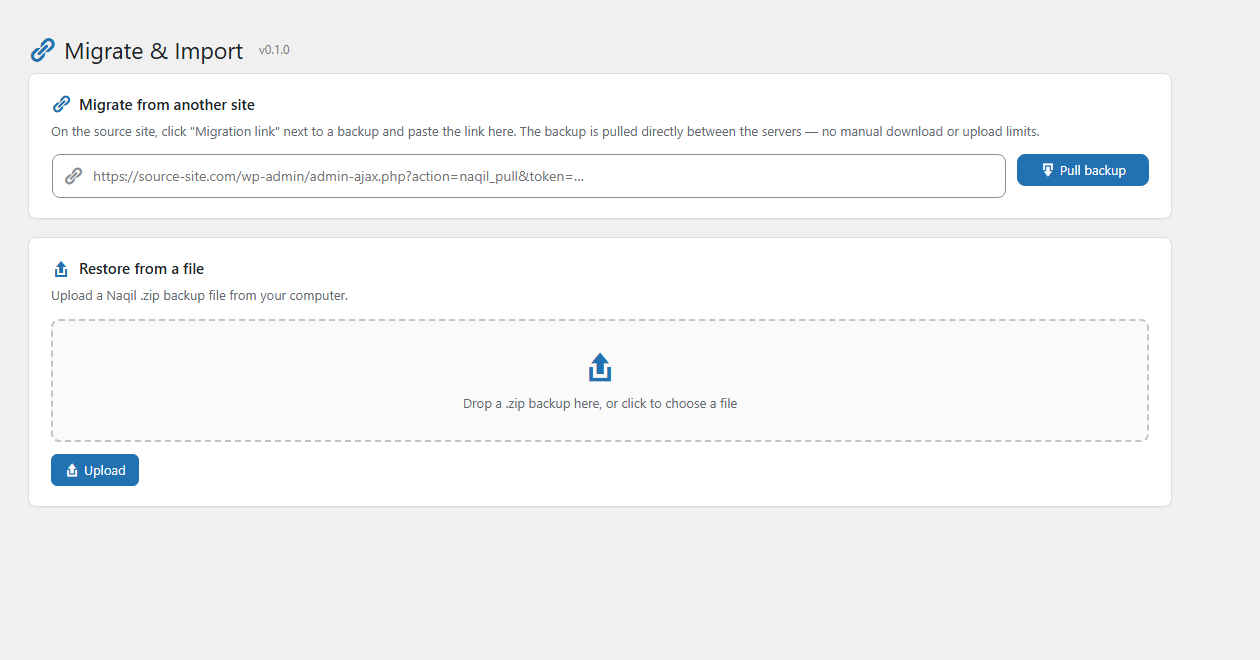
Naqil does it with a link. Install it on both sites. On the old one, click Migration link next to a backup. On the new one, paste it and press Pull backup. The two servers transfer the site between themselves, and the new one applies it the moment the transfer lands: database, theme, plugins and uploads, with the old address rewritten to the new one.
You never download the file and you never upload it. The PHP upload limit never applies, because nothing passes through your browser. No FTP, no phpMyAdmin, no third-party service in the middle.
And nothing is held back for a paid version. There is no paid version.
The link is private and temporary
It carries a 48-character secret token, only the SHA-256 hash of that token is ever stored, it expires after 3 days, issuing a new link invalidates the previous one, and deleting the backup revokes it immediately.
It finishes on sites that are actually large
Measured on a real site of 1.8 GB and 72,000 files: 17 minutes, start to finished archive. The archive is built by appending to it rather than rewriting it for every batch, which is what turns a large backup from hours into minutes, and each batch works to a clock rather than a fixed number of files, so a request always finishes well inside whatever limit the server keeps.
When something goes wrong, it tells you where
Every request a backup or restore makes is written down before it runs, not after. So when a server kills a job — and on large sites that is what happens — the last line in the log is the step it died on, with the table and row it was working on at the time. Running out of memory or out of time is named outright, because those two are the ones that leave nothing else behind.
Most tools answer a failed migration with “migration failed”. This one answers with the request, the step, the table, the memory in use, and the limit it hit.
It works on hosts other tools give up on
Different table prefixes between the two sites, a MySQL 8 site moving onto MariaDB, a host without the PHP zip extension, a backup larger than the upload limit, a page cache plugin, an HTTPS site landing on a plain HTTP address — each of these is handled rather than left to fail.
Free means the whole thing, at any size
Site size is not a feature here. A 50 MB blog and a 5 GB shop use the same code and the same transfer, and neither is asked for anything. Cross-domain migration, site-to-site transfer, restores, the Activity log — all of it, out of the box, with nothing to buy later.
Your new domain will actually work
When you restore a backup made on a different URL, every occurrence of the old address is replaced with the new one — safely, including inside PHP-serialized and JSON-encoded data, where a naive search and replace corrupts theme, widget and plugin settings. The rewrite never calls unserialize(), so your database content cannot trigger code execution.
Nothing leaves your server
No third-party service, no account, no telemetry, no proprietary format. Backups are plain ZIP archives you can open on any computer, stored in a protected folder inside your uploads directory.
Features
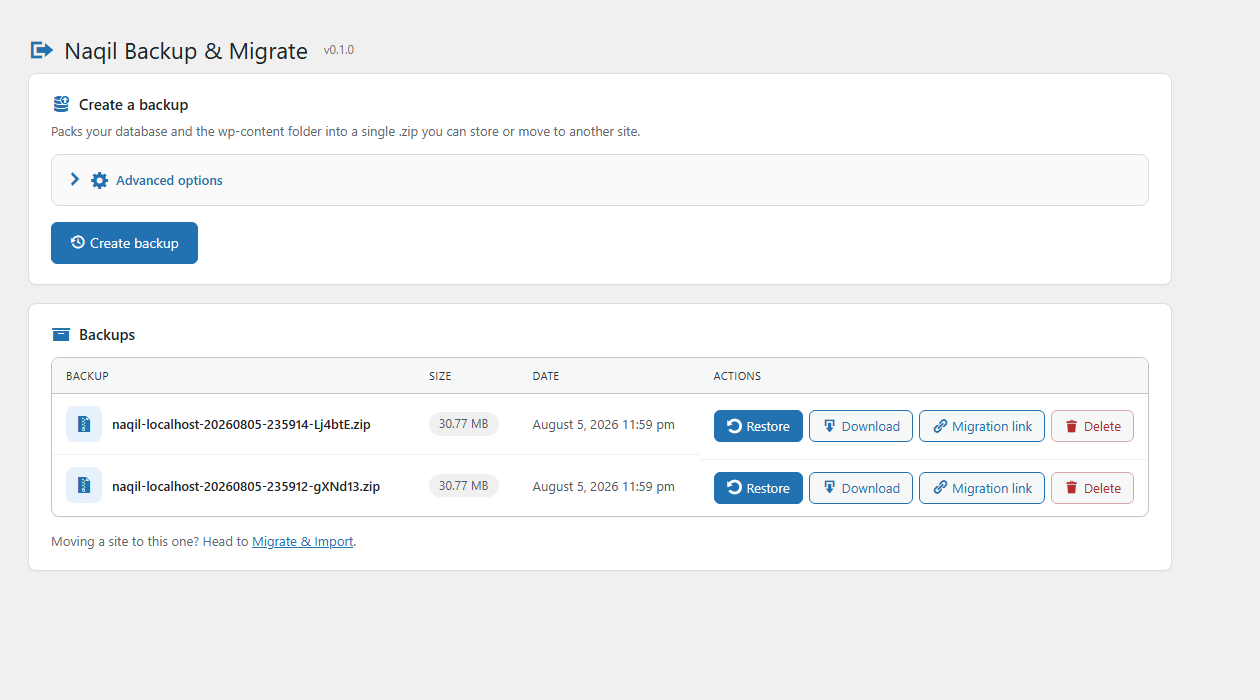
- One-click backup of your database and
wp-contentinto a standard ZIP. - Chunked, resumable engine — handles large sites without PHP timeouts.
- Restore from the backup list, or upload a ZIP from another site.
- Site-to-site migration over a secret, expiring link — no download, no upload limits.
- Serialization-safe URL replacement for moving to a new domain.
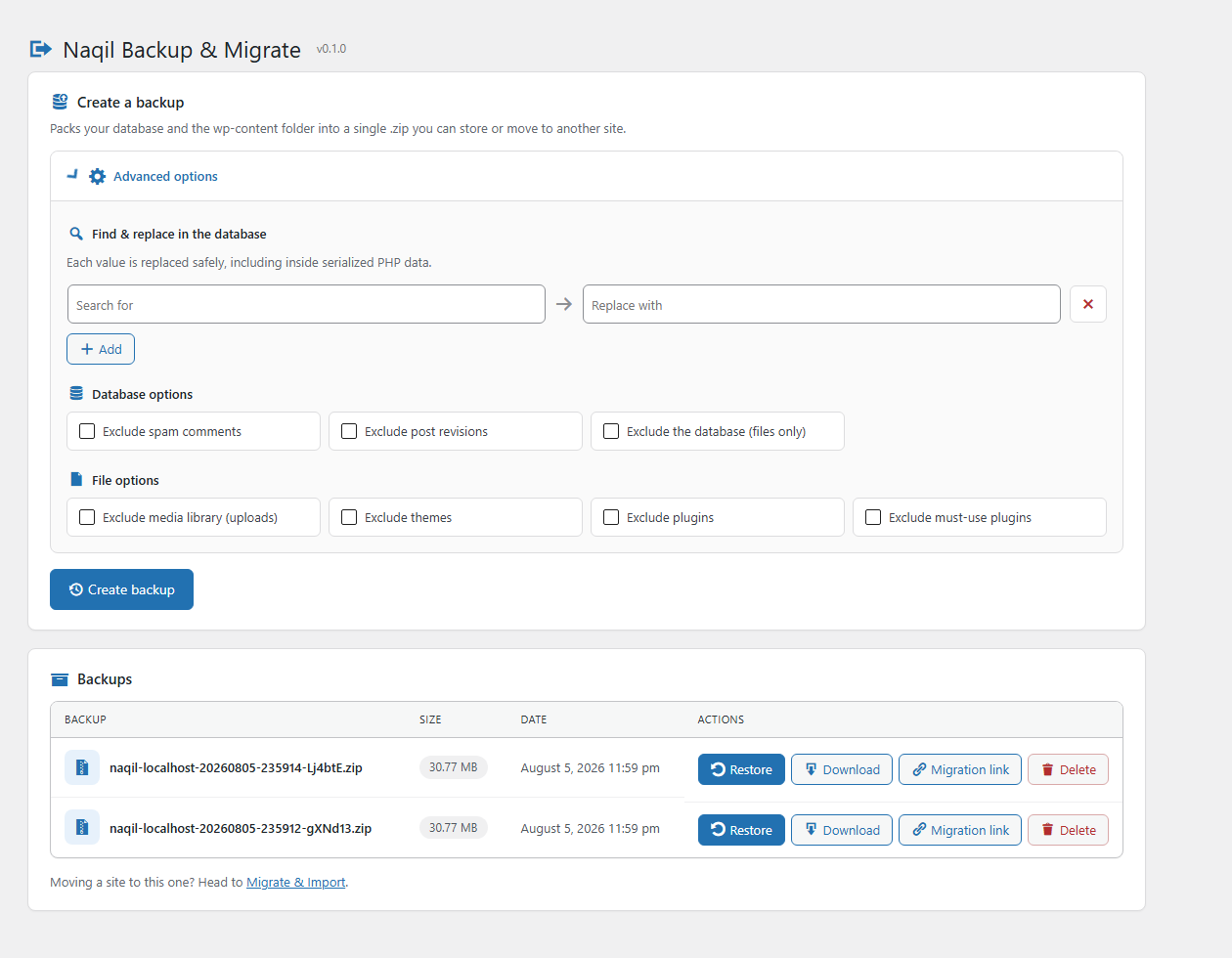
- Custom find and replace in the database, applied safely as the backup is built.
- Exclude spam comments, post revisions, the database, uploads, themes or plugins.
- Secure downloads from the admin, protected by capability and nonce checks.
- Fully translatable, with a complete Arabic translation and RTL-ready screens.
- An Activity log that records every request a backup or restore makes — what it was working on, how long it took, how much memory it used — so a job that fails tells you where it stopped instead of leaving you guessing.
- A “Check the source” button that asks the other site what it will answer, before a transfer starts rather than after it fails.
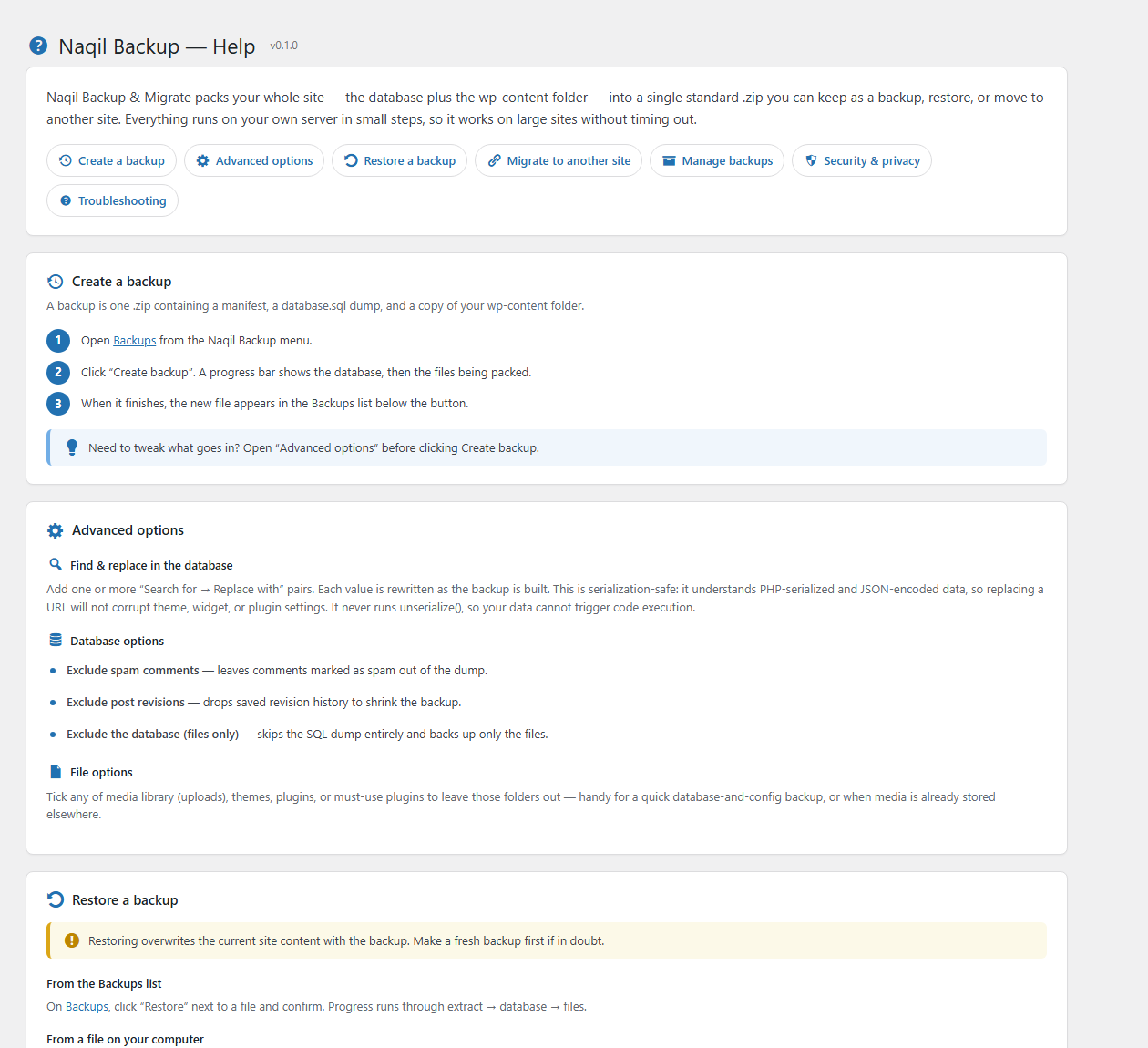
- Built-in Help screen documenting every feature and how to use it.
Works well for
- Moving a site from localhost or staging to a live server.
- Cloning a site to a new domain.
- Switching hosts.
- Keeping a manual backup before a risky update.
Screenshots
Installation
- Upload the
naqil-backupfolder to/wp-content/plugins/, or install the ZIP from Plugins Add New. - Activate the plugin.
- Open Naqil Backup in the admin menu.
FAQ
-
Is it really free?
-
Yes. Every feature is included: backups, restores, cross-domain migration and site-to-site transfer. There is no premium version, no upload limit and no locked functionality.
-
Can I move my site from localhost or staging to a live server?
-
Yes. Create a backup on the local or staging site, then either upload the .zip on the live site or use a migration link. The site URL is rewritten during the restore, so the live copy points at the right address.
-
Can I move a site to a different domain?
-
Yes. When you restore a backup made on another URL, all occurrences of the old URL are replaced with the new one — including inside PHP-serialized and JSON-encoded settings, where a naive search/replace would break the data. The rewrite never calls
unserialize(), so database content can’t trigger object injection. -
Do I need FTP or phpMyAdmin?
-
No. Everything happens from the WordPress admin. With a migration link you do not even download the backup — the two servers transfer it between themselves.
-
My host limits upload size. Will a big site still transfer?
-
Yes. The migration link bypasses uploads entirely: the destination pulls the archive directly from the source in small chunks, so the PHP upload limit never applies.
-
Where are backups stored?
-
In a protected
naqil-backupfolder inside your WordPress uploads directory, protected by an.htaccessdeny rule and anindex.phpstub. Download them from the admin screen. -
Does it work on large sites?
-
Yes. The database and files are processed in small batches across multiple requests, so it avoids PHP timeouts. Each batch works to a clock rather than a fixed number of files, so a request finishes well inside whatever limit the server keeps, and the archive is written by appending rather than being rebuilt each time — on a 1.8 GB site that is the difference between minutes and hours.
-
The transfer says a bot check answered instead of the backup. What now?
-
Something in front of the source site — a firewall or bot protection — is asking the visitor to run JavaScript, and one server fetching from another has no browser to answer with. Press Check the source to see exactly what the source answers. Then either allow the destination server through in the source site’s security settings (the message names its address), switch the check off while the transfer runs, or download the backup on the source in your browser and upload it on the destination, which works because a browser is what the check is waiting for.
-
Where is the Activity log?
-
Under Naqil Backup Activity log. Every backup and restore is recorded there: each request, what it was working on, how long it took and how much memory it used. Entries are written before the work, not after, so a job killed by the server leaves the step it died on as the last line — and running out of memory or time is named outright. Migration tokens are never written to it.
-
What format are the backups?
-
Standard ZIP. Inside you’ll find
naqil-manifest.json,database.sql, and acontent/copy ofwp-content. -
How does “migrate over a link” work?
-
On the source site, click Migration link next to a backup — a secret link is copied to your clipboard. On the destination site, open Naqil Backup Migrate & Import, paste the link, and click Pull backup. The destination downloads the archive directly from the source in small chunks, verifies it, and offers to restore it. Links expire after 3 days; only the SHA-256 hash of the token is stored, issuing a new link invalidates the old one, and deleting the backup revokes its link.
Reviews
There are no reviews for this plugin.
Contributors & Developers
“Naqil Backup & Migrate” is open source software. The following people have contributed to this plugin.
Contributors
Translate “Naqil Backup & Migrate” into your language.
Interested in development?
Browse the code, check out the SVN repository, or subscribe to the development log by RSS.
Changelog
0.1.1
- Fixed: downloading a backup produced an empty file on any site running a page cache. The archive is now streamed to the browser instead of being collected in a buffer that never reached it.
- Fixed: migrating between two sites whose table prefixes differ did nothing at all, while reporting success. The prefix is now translated on import, including the option and meta keys that embed it — miss those and the moved site has no administrator.
- Fixed: a backup taken on MySQL 8 could not be restored onto MariaDB, because MySQL 8 tables carry a collation MariaDB does not have. Character sets and collations are now mapped onto what the destination server offers.
- Fixed: failures during the database import passed silently. Any failing statement now stops the import and reports the database error.
- Fixed: restoring a backup that contained a drop-in such as W3 Total Cache’s db.php could leave the site unable to load. Drop-ins are put in place last, once the plugins they belong to are on disk.
- Fixed: backups swallowed the archives of other backup plugins, turning a 50 MB site into a multi-gigabyte file.
- Added: backups work on hosts without the PHP zip extension, using the PclZip library WordPress ships with.
- Added: uploads are sent in pieces, so a backup larger than the host’s upload limit can still be imported.
- Added: importing runs from transfer to finished site without stopping to ask, behind one prominent progress panel.
- Added: the database is replaced wholesale — tables the backup does not contain no longer survive — and themes, plugins and mu-plugins the backup does not contain are removed.
- Added: moving an HTTPS site onto an HTTP address no longer leaves it redirecting to an address that does not answer.
- Added: the restored site is checked over before the migration is called done — administrator present, active theme on disk, active plugins not missing their files.
- Fixed: a moved site answered its front page and 404ed everything else until the user opened Settings & Permalinks and pressed Save. The rules in .htaccess name a path, and a site that moves between a domain root and a subdirectory keeps pointing at a path that is no longer its own. They are now rewritten on the first request after a restore, and if the file cannot be written the restore says so instead of leaving a site that looks gone.
- Added: absolute paths from the source server — cache directories, log files — are rewritten to this install, and a custom uploads folder that does not exist here is reset to the default.
- Added: multisite networks keep working after a move, with the network tables pointed at the new domain. Restoring a network over a single site, or the reverse, is refused with a reason instead of producing a site nobody can log in to.
- Added: a request the host drops is retried before the operation gives up. Shared hosting refuses one request in a long run now and then, and a backup of a few hundred requests should not be lost to it.
- Fixed: a backup that stopped partway left a tiny unusable archive sitting in the backups list, indistinguishable from a real one. It is now cleared away.
- Fixed: caches are no longer carried between sites, which is what made a migrated site look wrong. Cache files are named after a hash of their contents and a plugin rebuilds them whenever anything changes — including partway through a backup — so the database ended up naming a stylesheet the archive never contained. Page caches were worse: finished HTML for the old address, stored in a folder named after the old domain.
- Added: caches are cleared on the restored site — transients, page-builder render caches and generated CSS — so each one is rebuilt from data that is already correct.
- Added: a site that has moved address no longer arrives with settings belonging to where it came from. Plugins that hide or rename the login page are switched off, since the secret address that let you in was the old site’s; Jetpack’s image CDN and single sign-on are switched off, being signed against the old host; and stored plugin licences are cleared, being issued to it. None of this happens when a backup is restored over the site it came from — that is a rollback, and nothing has moved. Every change is listed when the restore finishes, so you find out from us rather than by discovering it.
- Fixed: every per cent sign in the site’s data was replaced by a 64-character hash. WordPress hides per cent signs behind a random mask while a string is on its way to the database and takes the mask off on arrival; a backup never makes that trip, so the mask froze into the file and was restored as data. This broke anything written with a per cent sign: CSS widths lost their unit, and pages with Arabic, Hebrew, Cyrillic or any non-Latin address stopped resolving, because their addresses are stored percent-encoded. Backups taken with an earlier version carry the damage, and are repaired as they are imported — a backup is what you have left when the site is gone, so it has to stay readable. Take a fresh one where you still can.
- Fixed: a backup carried this plugin inside it and restored it over the copy running the restore, halfway through, between two of the requests the job is spread over. The next request loaded whatever version the backup brought, so the code that finished a migration was not the code that began it and a fix present on the destination could vanish mid-restore in favour of an older one from the site being moved. Naqil now leaves itself out of backups and steps over its own folder when restoring older ones.
- Fixed: restoring a site that used a booking, membership or shop plugin stopped partway with “Foreign key constraint is incorrectly formed”. Those plugins ship tables that point at one another, and a dump lists tables in the order the server names them — so a table could be created before the one it refers to, and the server refused it. The checks are now held off for the length of the import, as a mysqldump file does, and the constraints are verified once everything they refer to exists.
- Added: an Activity log. Every request a backup or restore makes is written down before it runs and again when it finishes, with what it was working on, how long it took and how much memory it used. A job that dies takes its error with it, so the entry with no finish is the step that stopped it — and a shutdown handler catches the two failures no error handler can, running out of memory and running out of time, and writes down which one it was. The screen shows where the time went, what the server’s limits were, and the moment a failed job stopped. Migration tokens are never written to it.
- Fixed: on a large site, a step could outlast the server’s gateway timeout, and the browser would retry it while the original request was still running — three at once in one recorded case, all writing to the same archive. Two processes appending to one file do not make a slower backup, they make a broken one. A step now holds the job while it works, and a retry that arrives early waits for it instead of joining in.
- Fixed: building a backup got slower with every batch, until a large site could not finish at all. The archive was being closed and reopened for each batch of files, and on many servers closing a ZIP means writing the whole thing out again — so adding one batch cost the size of everything added before it. Measured on a real site: 1.25 GB of backup had written about 100 GB, and the job was at 63% after two hours. Entries are now appended to the end of the archive and its index written once at the end, so adding a batch costs the batch. The result is an ordinary .zip any program can open.
- Added: files already in a compressed format — images, video, fonts, PDFs — are stored rather than deflated. Compressing a JPEG spends time to save nothing.
- Added: a batch of files now works to a clock rather than a fixed count, so a request finishes well inside the server’s timeout no matter how large the files in it are.
- Added: security-scan tables are left out by default. A file scan’s findings describe one moment on one server, the plugin rebuilds them on its next run, and on one site they were two thirds of the whole database export. Settings and two-factor secrets are named separately and always kept.
- Fixed: a migration that had already finished could end on an error. Once the database is swapped the site is suddenly running the plugins of the site that just moved in, and one of them redirects — which turns the next request into a redirect the browser repeats without its parameters, and WordPress answers that with a bare 400. The work was done and the answer was lost, so the panel reported a failure over a site that was already live. What identifies a request now travels in the address as well as the body, so one that is redirected still says who it is; and that exact answer is treated as worth asking again, since a step that has finished simply says so.
- Fixed: exporting a large table got slower the further into it the export went. Rows were fetched by counting off and discarding everything before them, so each batch cost more than the last. Measured on half a million rows, a batch went from 6ms at the start to nearly two seconds near the end; asking instead for the rows after the last one seen, it stays at 6ms wherever it is asked.
- Fixed: a batch was a fixed number of rows, whatever a row happened to be. A row can be a boolean or a page builder’s entire layout, so 500 of the second kind meant hundreds of megabytes held at once. Batches are now sized from the table’s own average row and stay around eight megabytes whatever the table holds.
- Added: a backup checks there is room for it before writing anything. Running out of disk halfway through does not announce itself — writes simply start failing, and the job ends in whatever error that produced, none of which mentions the disk.
- Fixed: every failure to read a migration link was reported as “this link is not valid”, which sends you to check the one thing that is often fine. What usually answers instead is the source site’s login page, a firewall, or a cache handing back HTML — so the message now says what did answer, and repeats the source site’s own words when it has any. The link is only blamed when it really is the link, and then it says what a link cut short during copying looks like.
- Added: a source site sitting behind a bot check is now named as such. Those guards answer a server with a page only a browser can get past, and with a 200, so nothing about the reply says it failed — while the remedy is a setting on the other site that no amount of retrying or re-copying the link will reach.
- Fixed: a restore replaces the users table, which ends the session that started it — so every request after that arrived signed out of a site that was otherwise finished and working, and WordPress answers an action with no logged-out handler with a bare 400. A migration that had succeeded reported failure at the last step. Each job now carries a key of its own, made when it starts and living as long as it does, which authorises one thing: moving that job forward. Being signed in is still what almost every request uses; the key is what carries the last few steps across.
- Added: a “Check the source” button beside the migration link. Everything that can stop a transfer lives between the two servers — a bot check that wants a browser, a host that will not let this server out, a link cut short in the clipboard — and none of it is visible from a browser on either site, which is why it is usually discovered in the middle of a long operation. This server now asks the source for three things and reports what came back for each, before anything starts. The answers differ, and the difference is what tells you what to do about it.
- Fixed: a migration link could not get through a source site with bot protection on it. The backup was served by a PHP endpoint under wp-admin — the address such guards watch most closely — and a guard that asks the visitor to run JavaScript is unanswerable by a server, which has no browser. Measured between two real sites: the guard turned the endpoint away and served plain files from the same server without hesitating. A migration link now points at the archive as a file, so the transfer is an ordinary download carried by byte ranges, and no PHP runs on the source at all — no time limit to exceed and no load to carry. Links already issued keep working, and a host that will not allow the file to be shared — many disable the function that makes it possible — simply gets the endpoint it always had.
- Fixed: on a site running a plugin that minifies or combines stylesheets, Naqil’s own screens lost every rule and arrived as bare markup. Those plugins rewrite the address of each stylesheet they take over, ours included, and we recognised our own by its address — so on exactly those sites we did not recognise it, and removed it. The guard was deleting the one thing it exists to protect. It goes by handle now.
- Fixed: on any site whose dashboard is not in English, Naqil’s own screens loaded with no stylesheet and no script — bare markup, dead buttons. WordPress builds a submenu screen’s internal name out of the translated menu title, and we were guessing that name in English rather than keeping the one WordPress handed back. So the plugin’s interface was broken in precisely the language it ships a translation for. It asks now instead of guessing, which also fixes the Activity log screen, added without being added to the guess.
- Added: a failed operation now offers a “Why did it stop?” button that opens the log entry for that exact job. The log already held the answer — the step, the table, the memory in use — but somebody who has just been told an operation failed has no reason to suspect a screen they have never opened.
- Added: Arabic translation of everything above.
0.1.0
- Initial release: chunked ZIP backup, restore, upload, download, delete.
- Serialization-safe URL replacement for cross-domain migration.
- Site-to-site migration over a secret, expiring link (chunked pull).