
Description
✨ Easy Events Calendar is a powerful, modern, and flexible event management plugin for WordPress.
Create, manage, and display events with ease — whether they are internal events or imported from platforms like Eventbrite, Meetup, or Facebook.
⚡ Includes advanced recurring events + real-time AJAX event discovery for a premium user experience.
📖 Documentation | 🔗 Plugin Website
🚀 Why Choose Easy Events Calendar?
✔ No coding required
⚡ Fast and performance optimized
🔗 Supports internal + external events
📱 Fully responsive design
🔍 Advanced AJAX filtering system
🚀 Core Features
🗂️ Internal Event Management
- Create and manage events using custom post type (eec_events)
- Clean and user-friendly admin interface
- No dependency on third-party tools
🔁 Advanced Recurring Events
- Supports Daily, Weekly, Monthly, and Yearly schedules
- Automatically generates future event instances
- Ideal for classes, webinars, and recurring events
🔍 Smart Event Discovery (AJAX Powered)
- Real-time event filtering without page reload
- Filter by Category, Tag, Venue, and Organizer
- Fast and smooth user experience
👉 Shortcode:
[eec_events_discovery]
🏷️ Event Organization
- Categories and Tags support
- Venue management 📍
- Organizer management 👤
- Dedicated archive pages
🎨 Modern UI Design
- Clean and professional layouts
- Smooth animations and transitions
- Modern glass-style interface
⚡ High Performance
- Optimized SQL queries
- Handles large event data efficiently
- Fast pagination system
📱 Fully Responsive
- Mobile-friendly layouts
- Compact pagination for small screens
- Works perfectly on all devices
🎨 Available Views
📅 Calendar View – Full month layout
🧱 Grid View – Card-based modern layout
📋 List View – Clean listing format
🧩 Staggered (Masonry) – Dynamic layout
🎞️ Slider View – Interactive event slider
🔗 Supported External Sources
Easy Events Calendar also works seamlessly with the following third-party plugins:
- Import Eventbrite Events
- Import Social Events
- Import Meetup Events
- WP Event Aggregator
- EventON
- Events Manager
⚙️ Installation
- Upload the plugin folder to /wp-content/plugins/ or install via dashboard
- Activate the plugin
- Go to Settings > Easy Events Calendar
- Start creating events from “Easy Events” menu
📌 Shortcodes:
Use the following shortcodes to display events on your website:
[eec_events_discovery] – Displays AJAX-powered event discovery with filters.
[easy_events_calendar] – Shows the classic events calendar view.
📜 Changelog
1.1.0
- ADDED: New “Related Events” support with term-based matching (Category, Tag, Venue, Organizer) to automatically display related events.
- ADDED: Advanced “Upcoming Events” widget with 10 unique styles (Timeline, Masonry, List, Card Grid, Badge, etc.), fully customizable from the admin panel.
- ADDED: AJAX filtering and layout toggle in [eec_events_discovery] shortcode with live search and Grid/List view switching.
- ADDED: Custom post type for internal events.
- ADDED: Custom taxonomies — Category, Tag, Organizer, and Venue.
- ADDED: Full support for recurring events with instance-based date handling.
- ADDED: Randomized professional placeholder images for events without featured images.
- ADDED: Design customization settings including Colors, Typography, and Header visibility controls.
- FIXED: Tooltip positioning and visibility issues.
- FIXED: Security and input sanitization improvements across all inputs.
- IMPROVEMENTS: Enhanced metadata support including venue addresses, Google Maps (latitude/longitude), and organizer contact details.
- IMPROVEMENTS: Organizer taxonomy changed to hierarchical for better admin experience.
- IMPROVEMENTS: Unified event data retrieval logic for improved performance.
- IMPROVEMENTS: Added compatibility support for WordPress 7.0.
1.0.3
- ADDED: New slider layout.
- ADDED: Support for multiple widgets.
- ADDED: Option to hide the header.
- ADDED: Category parameter support in the shortcode.
- IMPROVEMENTS: Security and code quality improvements.
1.0.2
- ADDED: Support for EventOn plugin.
- ADDED: Support for Events Manager plugin.
- FIXED: Issue with event ordering in Masonry(Staggered) layout.
1.0.1
- Updated plugin branding and improved overall presentation.
1.0.0
- Initial release
- Display support for Eventbrite, Meetup, Facebook Events, and WP Event Aggregator
- Includes 4 unique views: Calendar, Grid, Row, and Masonry
- Load More feature with pagination settings
- Button text and colour customisation options
🚀 Upgrade Notice
1.1.0
Major update with Internal Events, Recurring System, and AJAX Event Discovery.
Screenshots

Calendar View – Browse upcoming events in an interactive calendar layout. 
Grid View – Display events in a modern and visually appealing grid format. 
List View – View events in a simple and easy-to-read list layout. 
Masonry View – Showcase events in a dynamic staggered grid design. 
Slider View – Highlight events using a smooth carousel slider. 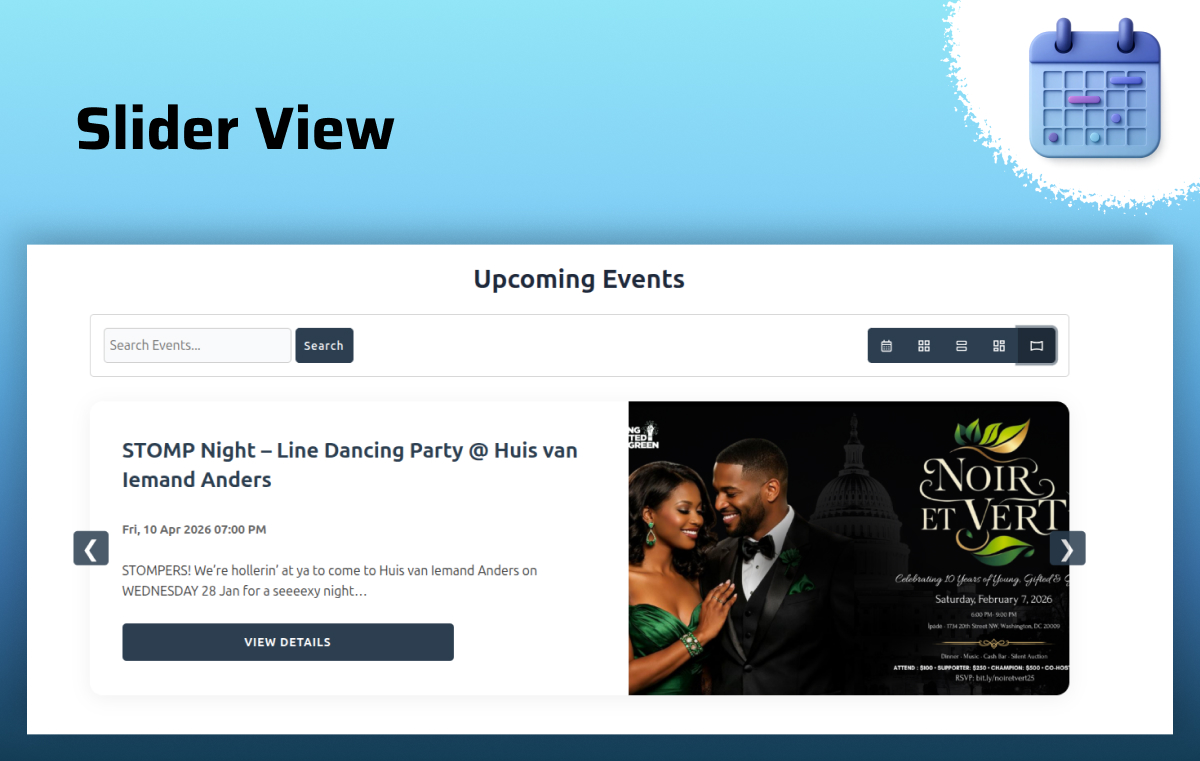
Settings Panel – Customize layouts, styles, and event display options easily. 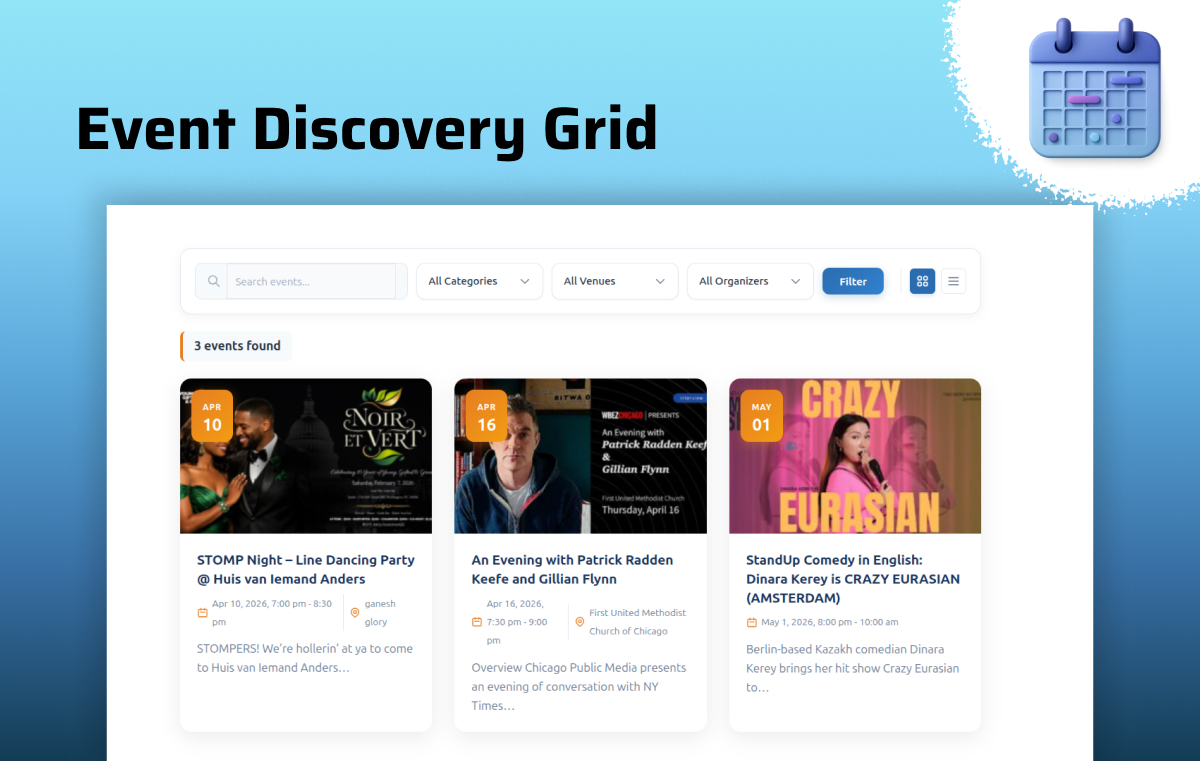
Event Discovery Grid – Search and explore events in a grid-based layout. 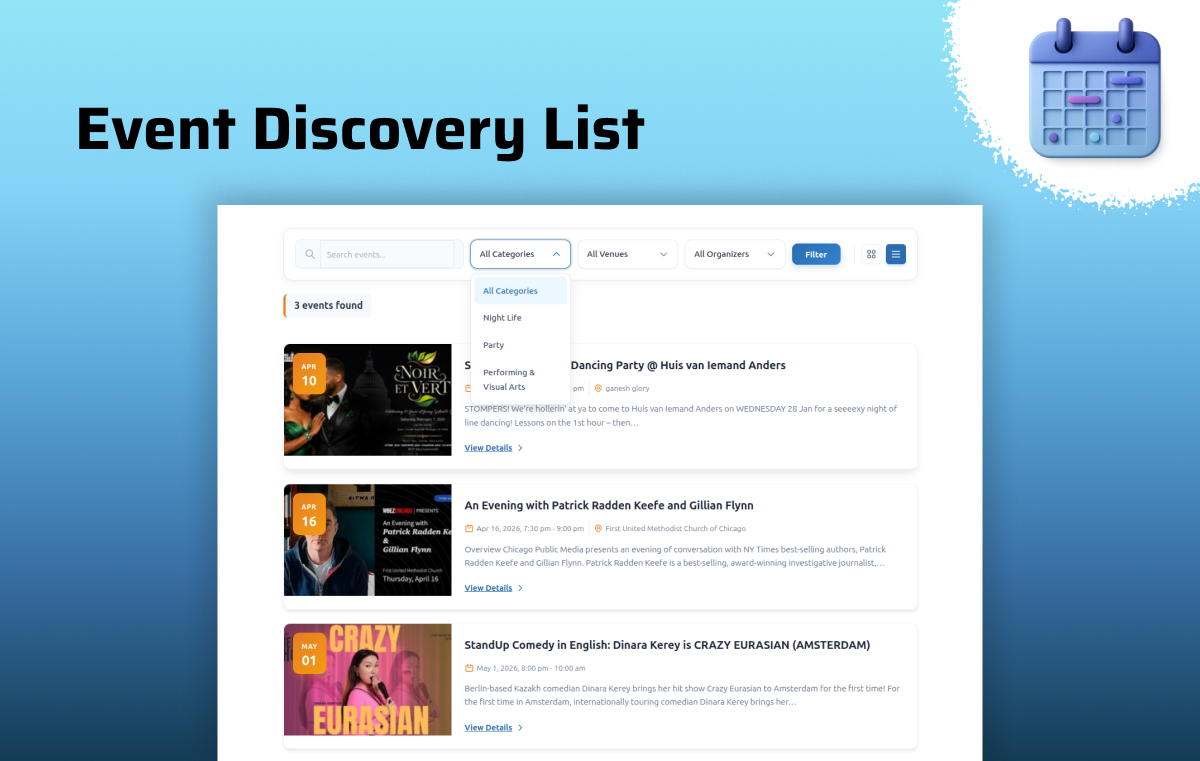
Event Discovery List – Find events quickly with a clean list-style search view. 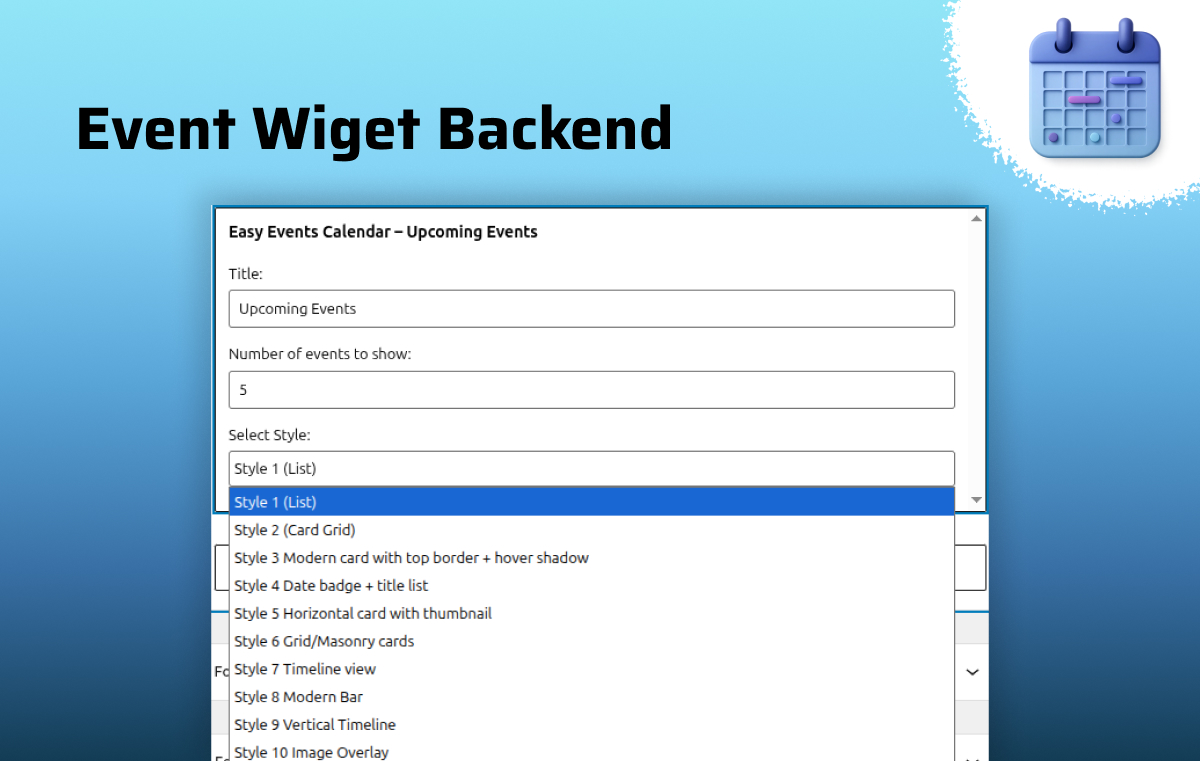
Event Widget Backend – Configure event widgets with flexible backend options. 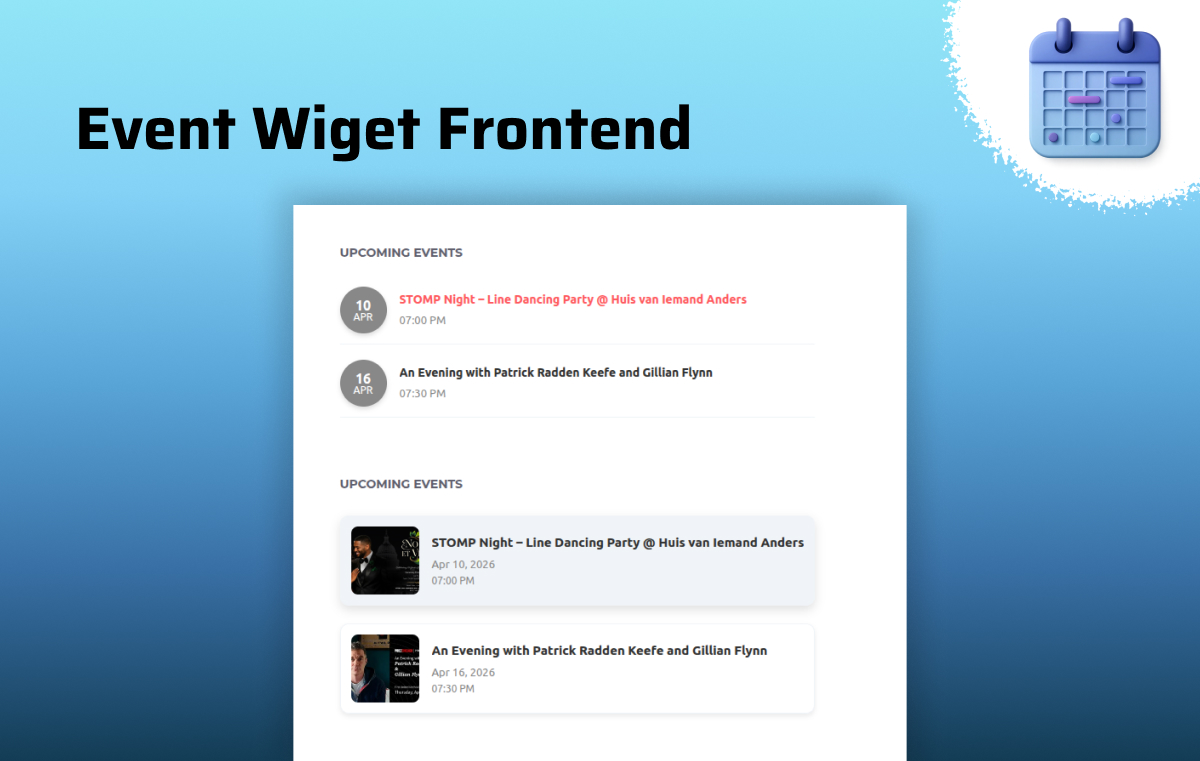
Event Widget Frontend – Display selected events beautifully on your website. 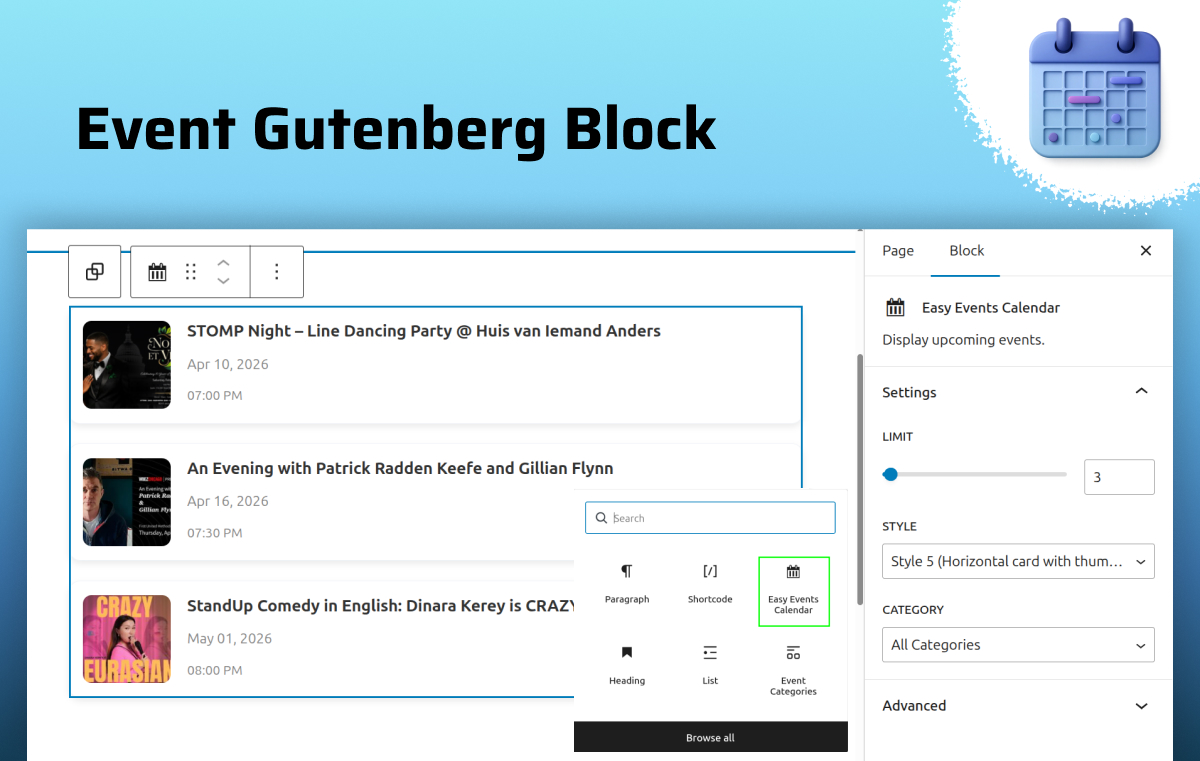
Gutenberg Block – Add and manage event layouts directly in the block editor.
Blocks
This plugin provides 1 block.
- Easy Events Calendar Display upcoming events.
FAQ
-
🔁 Does this support recurring events?
-
Yes. You can create events that repeat daily, weekly, monthly, or yearly. The system automatically generates future occurrences.
-
⚡ How does the discovery shortcode work?
-
The [eec_events_discovery] shortcode provides a real-time AJAX filtering interface. Users can filter events instantly without page reload.
-
📱 Is it mobile-friendly?
-
Yes. All layouts are fully responsive and optimized for mobile devices.
-
🧑💻 Can I create events manually inside WordPress?
-
Yes. You can create and manage events directly using the built-in “Easy Events” custom post type without relying on external sources.
-
🔌 Can I import events from other platforms?
-
Yes. The plugin supports integration with Eventbrite, Facebook Events, Meetup, and other popular event plugins.
-
🎨 Can I change the layout or design of events?
-
Yes. You can choose from multiple layouts like Calendar, Grid, List, Masonry, and Slider to match your website design.
-
⚡ Will it slow down my website?
-
No. The plugin is optimized with efficient SQL queries and AJAX loading to ensure fast performance even with a large number of events.
-
🏷️ Can I filter events by category or organizer?
-
Yes. Users can filter events by Category, Tag, Venue, and Organizer using the AJAX-powered discovery system.
Reviews
There are no reviews for this plugin.
Contributors & Developers
“Easy Events Calendar : All-in-One Events Calendar with Social Event, Eventbrite, Meetup, Google & iCal Import Support” is open source software. The following people have contributed to this plugin.
Contributors

Interested in development?
Browse the code, check out the SVN repository, or subscribe to the development log by RSS.