
Description
Deprecated version, please use “hRecipe” 0.3 and higher.
Screenshots
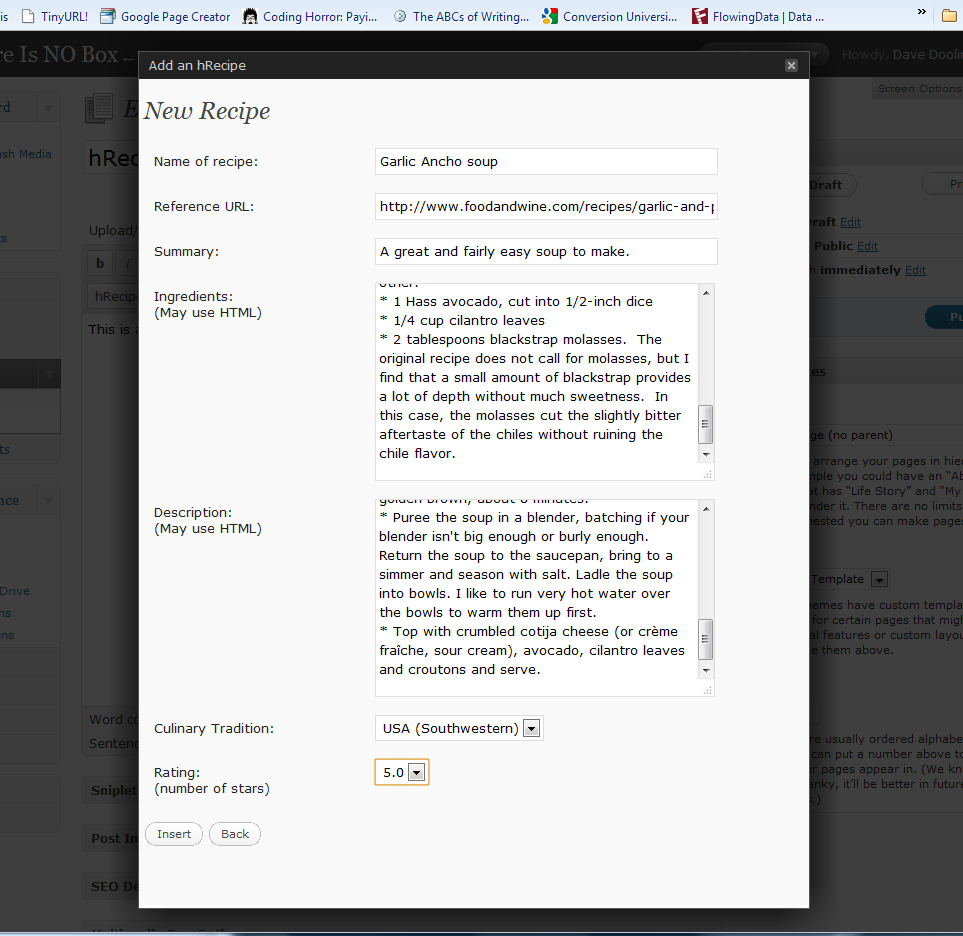

Installation
Unzip the plugin into your wp-content/plugins/ directory. It should automatically create an hrecipe/ subdirectory.
In your WordPress admin page, go to the Plugins section and Activate the “hRecipe Support for Editor” plugin.
When you go to “Write Post” or “Write Page”, click on the star logo to pop-up a simple form.
Fill in the fields of the form, particularly the name of the thing you are reviewing.
Click Insert and the contents of the fields will be inserted into the page or post you were composing, but marked up using the hReview microformat.
FAQ
- What is a microformat?
-
There are different microformats for different types of
information. This plugin uses the hReview microformat for review type
information. For more information, see to the main microformats site. - Why would I want to use this?
-
Since hRecipe plugin used hReview plugin code, here’s
the explanation for hReview:If your reviews are displayed on your blog using the hReview
microformat, it makes it easy for search engines to find and do
special things with them. For example, there is a reviews search
engine run by Technorati.
Reviews
There are no reviews for this plugin.
Contributors & Developers
“hRecipe Support for Editor” is open source software. The following people have contributed to this plugin.
Contributors
Translate “hRecipe Support for Editor” into your language.
Interested in development?
Browse the code, check out the SVN repository, or subscribe to the development log by RSS.
Changelog
- 0.2.4.1: Fixed path issue for rating stars.
- 0.2.4: Worked out procedure for moving stable into tagged branch instead of trunk.
- 0.2: Fixed recipe label in editor. Changed enclosing block to fieldset element. Added “Culinary Tradition” selection.
- 0.1: Initial release