

Description
ReadyGo SMTP fixes WordPress email delivery by routing your mail through a real mail provider instead of the unreliable default PHP mail() function. It then goes further than most SMTP plugins with weighted load-balancing and automatic failover, so a single provider outage never stops your email.
Connect one or more providers, decide how mail is routed between them, and watch every send in a clean dashboard with full logs and charts.
Free, self-hosted, and no paid upgrade.
Why WordPress emails are not sending or going to spam
By default WordPress hands your email to the PHP mail() function on your web server. That server usually has no proper sending reputation, no SPF or DKIM alignment for your domain, and no way to report a failure back to you. The result is the two problems every site owner eventually hits: password resets and order confirmations that never arrive, and messages that do arrive but land in the spam folder.
Routing through a genuine SMTP or API provider fixes both. The provider has the reputation and the authentication, and it tells you what happened to every message.
WordPress SMTP settings, without the guesswork
Add a connection, enter your host, port, encryption, username and password, send a test email, and you are done. The plugin shows you the real result of that test, including the exact provider error if it fails, so you are not guessing which of the five settings is wrong.
Works with Gmail, Outlook and Microsoft 365
Use the Other SMTP connection type with your provider’s standard SMTP server. For Gmail, Google Workspace, Outlook and Microsoft 365 accounts with two-factor authentication switched on, generate an app-specific password in your account security settings and use that as the SMTP password rather than your normal login password. The built-in documentation tab walks through it.
Key features
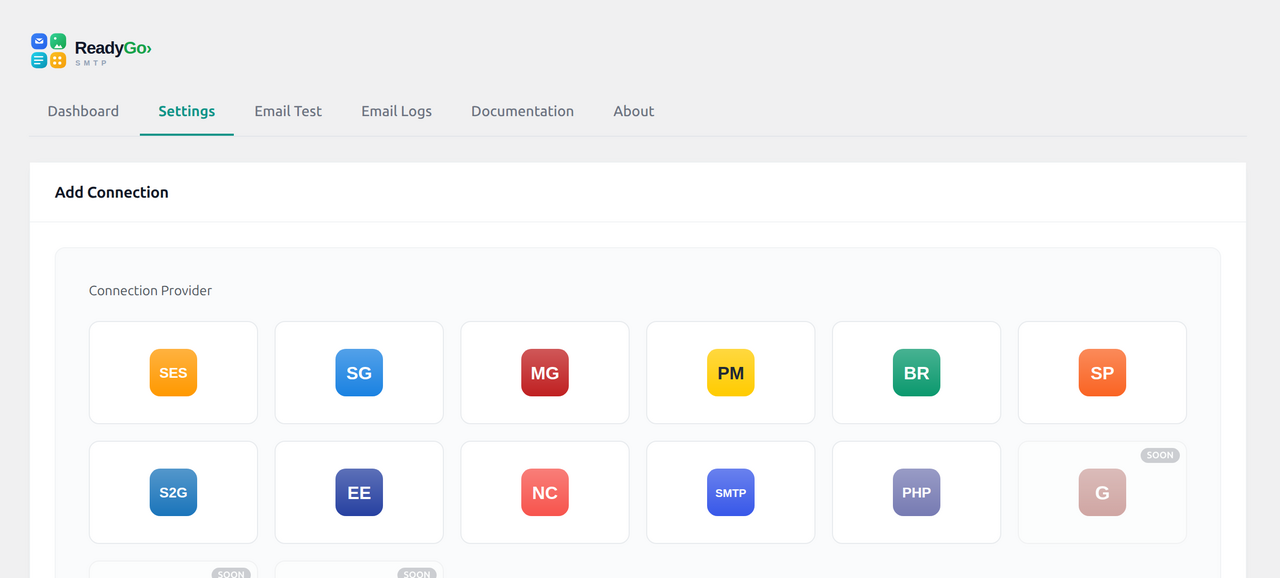
- Multiple providers. Any standard SMTP server, plus native API integrations for Amazon SES, SendGrid, Mailgun, Postmark, Brevo (formerly Sendinblue), SparkPost, SMTP2GO, Elastic Email and Netcore, and PHP
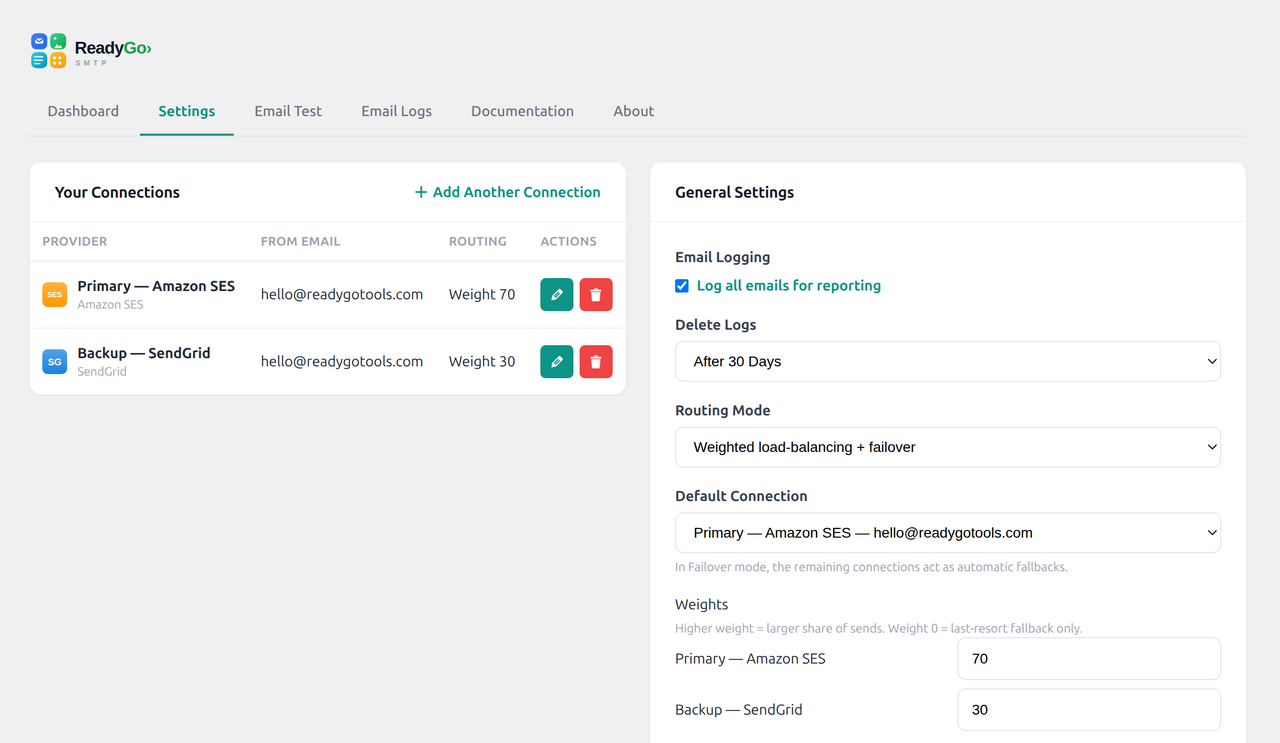
mail()as a last resort. - Weighted load-balancing. Split sending across connections by weight, for example 70/30, to spread volume or stay inside a free tier.
- Automatic failover. If one connection fails, the next is tried instantly. A failing connection is briefly cooled down, then retried.
- Email logging. Every message recorded with status, recipient, subject and the full failover trail. Resend any message with one click.
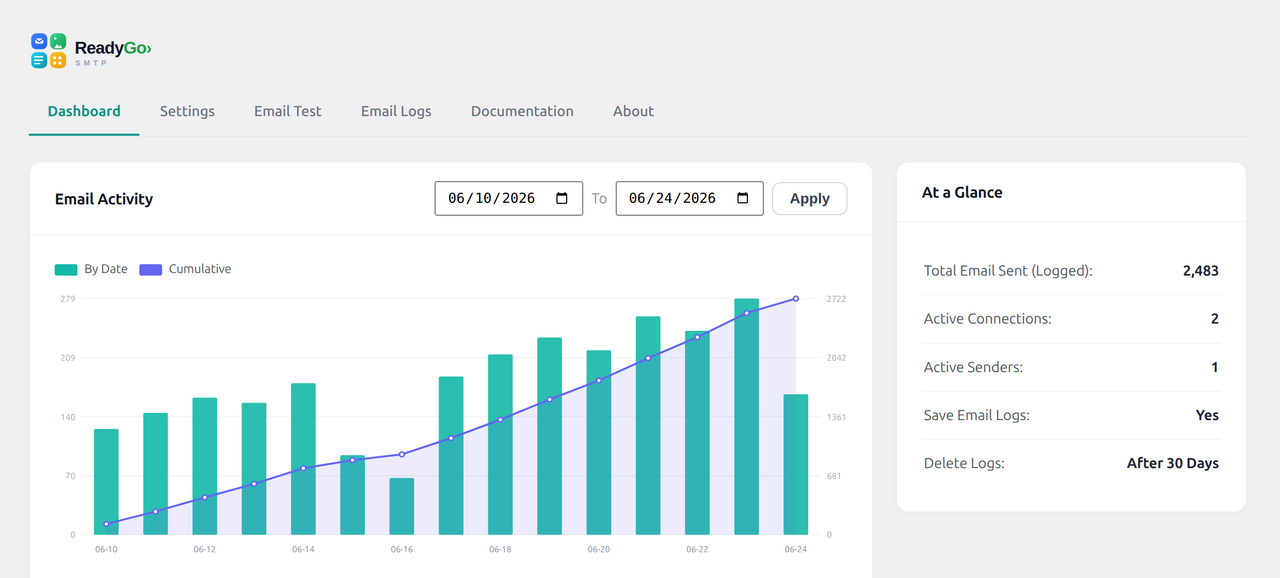
- Dashboard and reports. Sending volume over time, success rate, and a send-time heatmap.
- Forced From identity. Set and enforce the From name, From address and Return-Path for better deliverability and fewer spoofing flags.
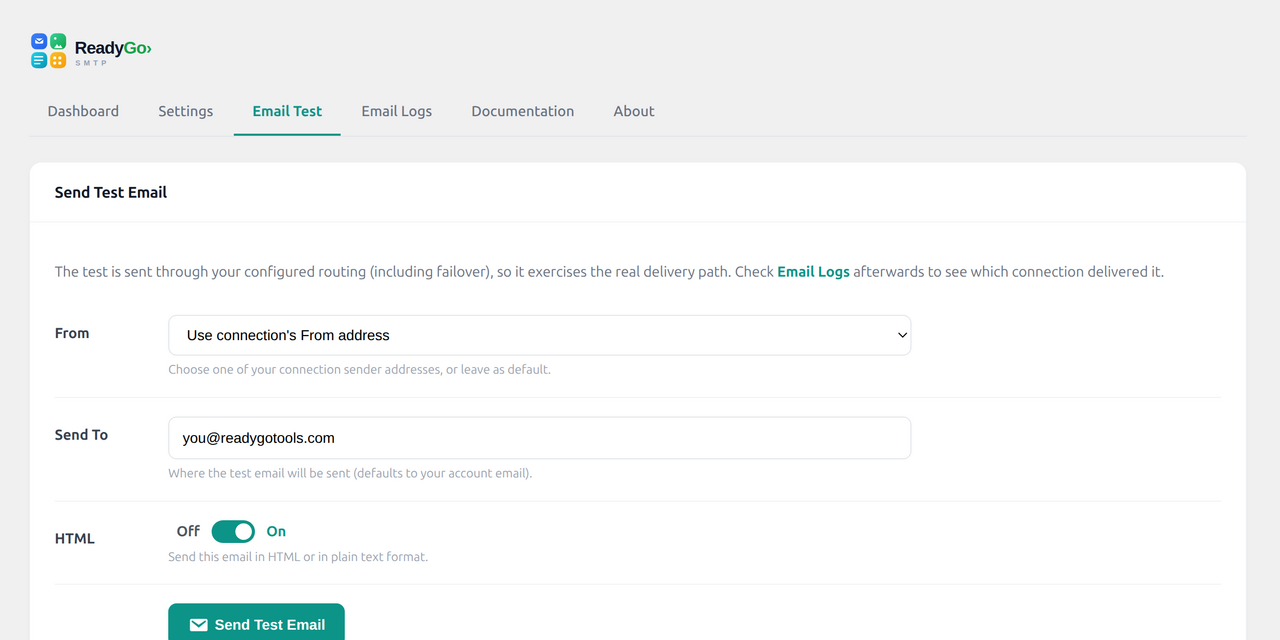
- Test email tool. Send a real test in HTML or plain text through your live routing, not a simulation.
- Log retention. Auto-purge old logs on a schedule you choose so the table never grows without limit.
Who needs an SMTP plugin
Anyone running WooCommerce order emails, a contact form, a membership or LMS site, or simply relying on password resets working. If email leaving your site matters at all, mail() is not a safe default. If email leaving your site matters a great deal, one provider is not either, which is what the load-balancing and failover are for.
More from ReadyGo Tools
Built by ReadyGo Tools. See the plugin page, or browse more free WordPress plugins at readygotools.com/plugins.
External services
ReadyGo SMTP does not contact any external service on its own. It only sends your outgoing WordPress email through the third-party mail provider(s) you choose and configure with your own credentials. Nothing is sent anywhere until you add and enable a connection, and no usage data, analytics, or telemetry is ever collected by the plugin.
When you enable a provider, your outgoing message data — the recipient address(es), subject, body, and headers — is transmitted to that provider each time WordPress sends an email (for example a contact-form notification, a password reset, or a WooCommerce order email), so the provider can deliver it on your behalf. Data is only sent to the specific provider(s) you connect; deactivating a connection stops any further data being sent to it.
Each provider is an independent company operating under its own terms of service and privacy policy. Review the one(s) you enable:
- Amazon SES — https://aws.amazon.com/ses/ (terms: https://aws.amazon.com/service-terms/ , privacy: https://aws.amazon.com/privacy/)
- SendGrid (Twilio) — https://sendgrid.com/ (terms: https://www.twilio.com/en-us/legal/tos , privacy: https://www.twilio.com/en-us/legal/privacy)
- Mailgun — https://www.mailgun.com/ (terms: https://www.mailgun.com/terms/ , privacy: https://www.mailgun.com/privacy-policy/)
- Postmark — https://postmarkapp.com/ (terms: https://postmarkapp.com/terms-of-service , privacy: https://postmarkapp.com/privacy-policy)
- Brevo (Sendinblue) — https://www.brevo.com/ (terms: https://www.brevo.com/legal/termsofuse/ , privacy: https://www.brevo.com/legal/privacypolicy/)
- SparkPost — https://www.sparkpost.com/ (privacy: https://www.messagebird.com/legal/privacy)
- SMTP2GO — https://www.smtp2go.com/ (terms: https://www.smtp2go.com/terms , privacy: https://www.smtp2go.com/privacy)
- Elastic Email — https://elasticemail.com/ (terms: https://elasticemail.com/resources/usage-policies/terms-of-use , privacy: https://elasticemail.com/resources/usage-policies/privacy-policy)
- Netcore — https://netcorecloud.com/ (privacy: https://netcorecloud.com/privacy/)
- Gmail / Google Workspace — https://workspace.google.com/ (terms: https://policies.google.com/terms , privacy: https://policies.google.com/privacy)
- Microsoft Outlook / 365 — https://www.microsoft.com/microsoft-365 (terms: https://www.microsoft.com/servicesagreement , privacy: https://privacy.microsoft.com/privacystatement)
Standard SMTP connections (the “Other SMTP” option) send your mail to whatever SMTP host you configure; no third-party service is involved beyond the server you specify.
Screenshots
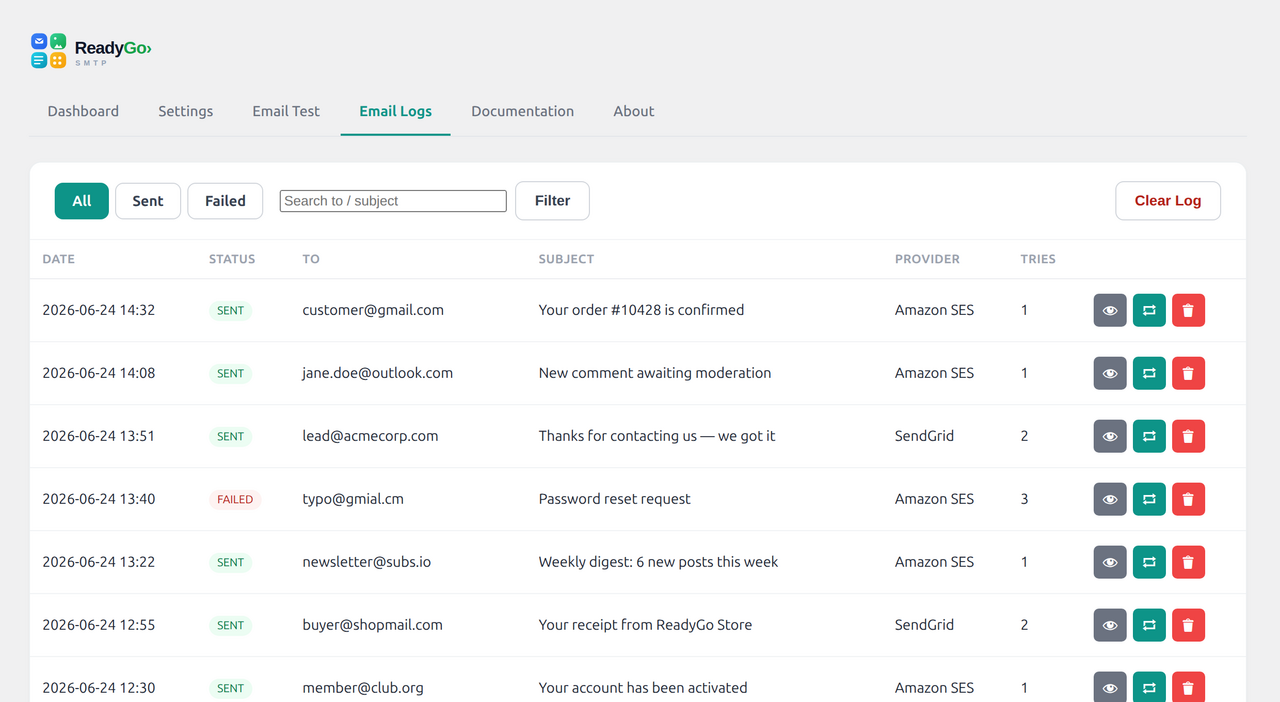
Installation
- In your WordPress admin, go to Plugins > Add New and search for “ReadyGo SMTP”, or upload the plugin ZIP via Plugins > Add New > Upload Plugin.
- Click Install Now, then Activate.
- Deactivate any other SMTP/mail plugin (only one should be active).
- Open RGT SMTP in the admin menu, then Settings > Add Another Connection and choose your provider.
- Enter your sender details and credentials. For SMTP, match encryption to the port (465 = SSL, 587 = TLS).
- Pick a Routing Mode and Default Connection, then send a test email from the Email Test tab.
FAQ
-
I get “Could not connect to SMTP host”
-
This is almost always a port/encryption mismatch. Use SSL on port 465, or TLS on port 25/587. Edit the connection and make the encryption match the port.
-
Can I use it with Fluent Forms, WooCommerce, Contact Form 7, etc.?
-
Yes. The plugin intercepts WordPress’s standard
wp_mail(), so any plugin that sends email through WordPress is automatically routed — as long as that plugin has its email notifications enabled. -
Should I run another SMTP plugin at the same time?
-
No. Run only one mail plugin; multiple plugins will conflict over WordPress mail.
-
The email shows “sent” but didn’t arrive
-
A “sent” status means your provider accepted the message. Delivery to the inbox then depends on your domain’s SPF and DKIM records and the recipient’s spam filtering. Check the recipient’s spam folder and verify your DNS authentication.
-
Does it store my email content?
-
Only if logging is enabled. Logged messages may include the email body. You can disable logging, or set logs to auto-delete after a chosen number of days. All logs are stored in your own site’s database; nothing is sent to ReadyGo Tools.
-
Why are my WordPress emails not sending?
-
Almost always because WordPress is using the server’s PHP mail() function, which has no sending reputation and no authentication for your domain. Routing through a real SMTP or API provider fixes it, and the plugin’s log tells you exactly what happened to each message.
-
Why do my WordPress emails go to spam?
-
Mail sent through PHP mail() usually fails SPF and DKIM alignment for your domain, which is a strong spam signal. Sending through a provider you have authenticated, with a forced From identity, resolves most cases.
-
Can I use this with Gmail or Google Workspace?
-
Yes, through the Other SMTP connection using Google’s SMTP server. If two-factor authentication is enabled on the account, generate an app-specific password and use that instead of your normal password.
-
Can I use this with Outlook or Microsoft 365?
-
Yes, through the Other SMTP connection using Microsoft’s SMTP server, with an app-specific password if two-factor authentication is enabled on the account.
-
What are the correct WordPress SMTP settings?
-
They come from your mail provider, not from WordPress. You need the SMTP host, the port, the encryption type, your username (usually the full email address) and the password. Enter them, send a test, and the plugin reports the exact provider response.
-
What is the difference between load-balancing and failover?
-
Load-balancing splits your mail across several connections by weight while all of them are healthy. Failover is what happens when one stops working: the next connection takes over immediately and the failing one is cooled down before being retried.
-
Does it work with WooCommerce order emails and contact forms?
-
Yes. The plugin intercepts all WordPress mail, so anything that sends email through WordPress is routed and logged, including WooCommerce, contact form plugins and password resets.
-
Is it really free?
-
Yes. Every feature including logging, load-balancing and failover is free. You still pay your chosen mail provider directly under their own pricing, and many have a free tier.
Reviews
There are no reviews for this plugin.
Contributors & Developers
“SMTP Mailer by ReadyGo – Email Delivery, Automatic Failover, Logs & Test” is open source software. The following people have contributed to this plugin.
Contributors
Interested in development?
Browse the code, check out the SVN repository, or subscribe to the development log by RSS.
Changelog
0.1.4
- Added: an optional, dismissible reminder to leave a review (appears after about a week of use; can be turned off).
0.1.3
- Updated the plugin title, short description and tags for clarity in the plugin directory (metadata only, no functional changes).
0.1.2
- Provider picker now shows brand logos (with provider name) for clearer, at-a-glance selection.
- Provider icons use Simple Icons (CC0 / public domain); brand names and marks belong to their respective owners and are shown only to identify the service each connection integrates with.
0.1.1
- Redesigned the provider picker tiles for clearer, at-a-glance provider identification.
0.1.0
- Initial release: multi-provider SMTP/API mail, weighted load-balancing, automatic failover, email logging, dashboard reporting, and test sending.